
 1
1Upload your house
Begin with a clear JPEG, PNG, or WebP photograph of the exterior you actually plan to paint.
Exterior house color visualizer
See paint colors on your actual house, compare complete exterior schemes, and decide what is worth sampling before buying paint. Define each surface once, then explore walls, trim, ceilings, doors, and accents together.
Already have an account? Log inThe free demo uses a prepared example. Screen previews are a planning aid; confirm finalists with physical paint samples in the intended light.
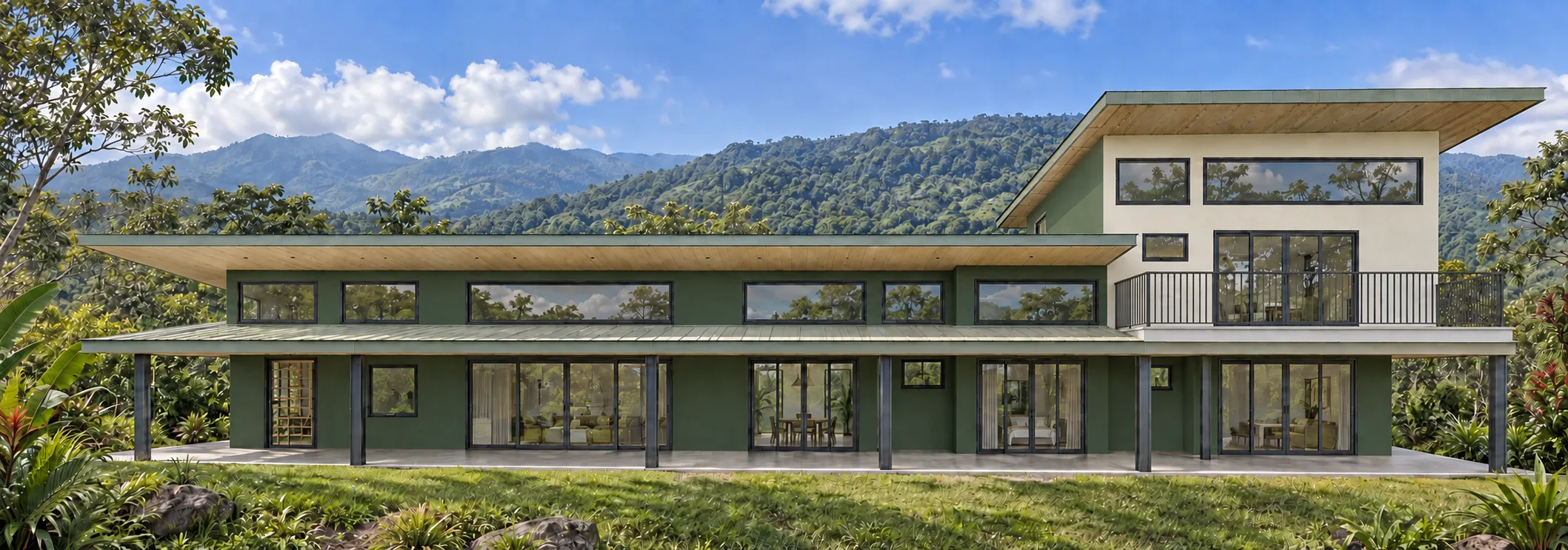 OriginalColor idea
Illustrative screen preview. Always verify finalists with physical paint samples.
From photograph to shortlist
Each stage gives you deliberate control instead of asking an automatic recoloring tool to guess what matters.
1Begin with a clear JPEG, PNG, or WebP photograph of the exterior you actually plan to paint.
 2
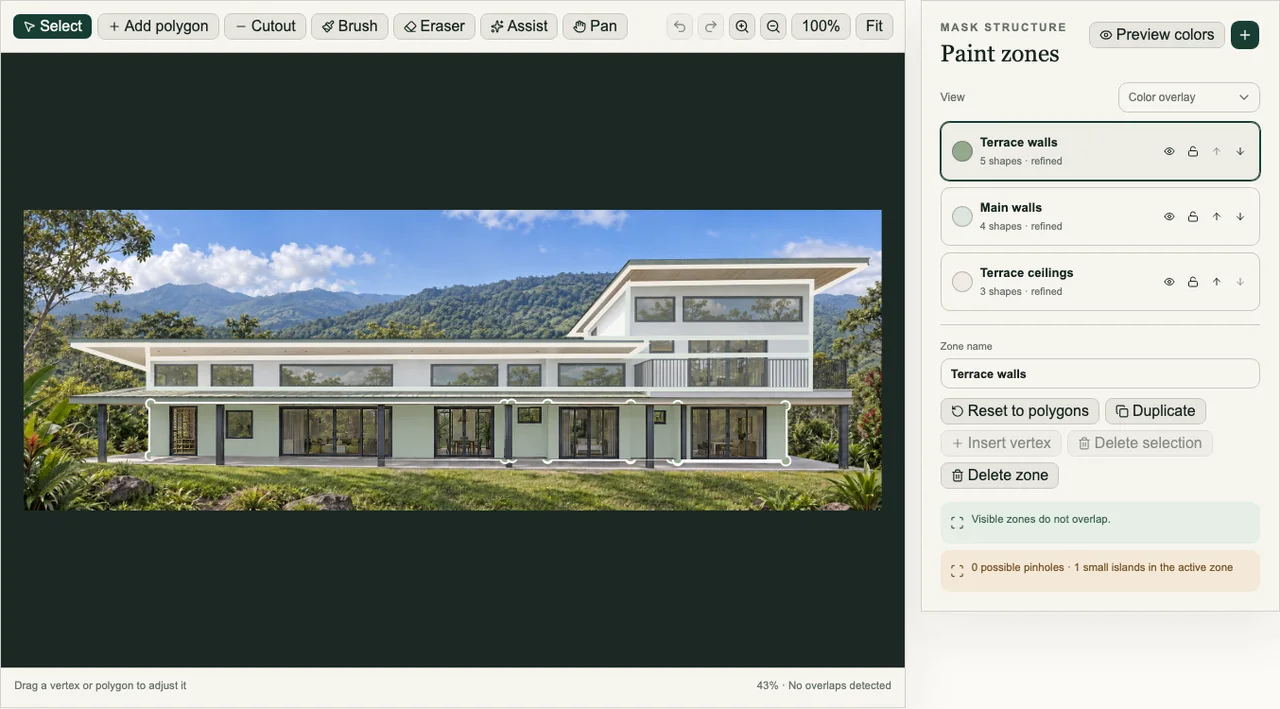
2Outline architectural surfaces, then refine their edges around windows, doors, and openings.
 3
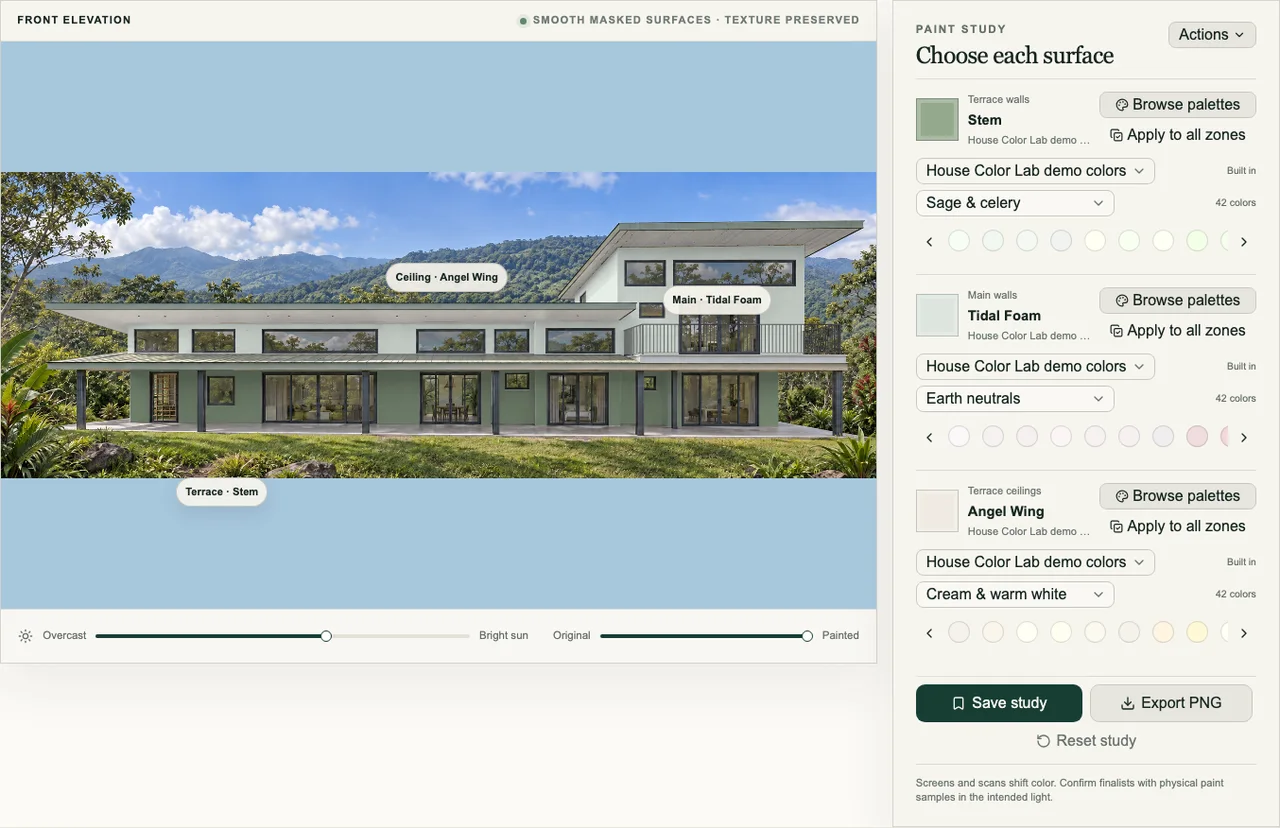
3Choose colors independently for every zone while preserving the photograph’s light and texture.
 4
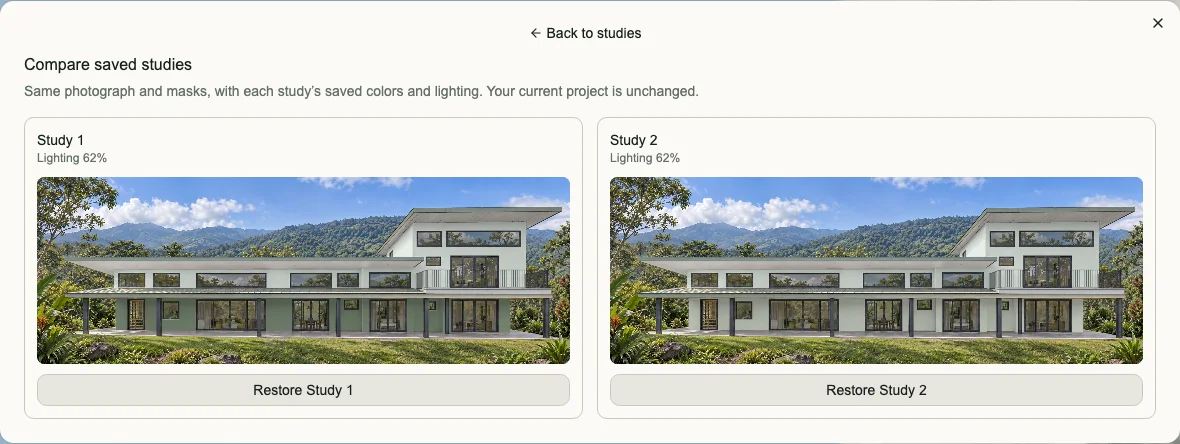
4Save the strongest schemes, compare finalists directly, and export a visual reference.
Precise surface control
Draw zones for the architectural surfaces that matter, refine boundaries with brush, eraser, and assist tools, and work around windows, doors, and openings before trying a single scheme.
See the whole composition
See how walls, trim, ceilings, and accents relate to the roof, windows, fixed materials, landscaping, shade, and sunlight before buying paint.
Explore the homeowner workflowReal paint references
Browse organized palette families or add your own references. Names, codes, and color sources stay attached to each project and saved scheme.
Save, compare, and share
Name and save complete schemes, restore earlier directions, and compare two finalists side by side without relying on memory. Export the active view for your household, client, contractor, or paint store.
Choose the way you work
For homeowners
Work across up to three projects with every visualization, palette, comparison, backup, and export feature.
$15 once · lifetime usageSee Homeowner accessFor professionals
Create unlimited projects, organize alternatives, compare finalists, and export references before ordering paint.
$15/month · $144/yearSee Professional accessProduct proof, no account required
Change colors, inspect and refine masks, save schemes, compare finalists, and export a PNG. The free demo stays limited to one bundled Costa Rica example.
Simple pricing
Choose a three-project lifetime purchase or unlimited projects for ongoing professional work.
Homeowner
Up to 3 projects
Professional
Billed monthly at $15 per billing period.
Unlimited projects
Exterior color guides
Coordinate fixed materials, choose trim deliberately, and test finalists in the outdoor light where the finished colors will live.
Start with the largest fixed material on the house, identify its undertone, and build wall and trim options around it.
Read the guideTrim can sharpen the architecture, soften contrast, or connect walls to windows and fixed materials—white is only one option.
Read the guideExterior color is never viewed under one light. Learn what changes between the screen, the sample, and the finished wall.
Read the guideQuestions before you begin
Yes. A personal workspace starts with a JPEG, PNG, or WebP photograph of the house you want to explore. The free public demo uses one prepared example instead.
Yes. You define paint zones for surfaces such as main walls, trim, ceilings, columns, doors, or accents, then choose a color for each zone.
House Color Lab supports organized color libraries and palette imports, so projects can retain the color names, codes, and sources you are considering.
Visualizations are planning aids, not calibrated paint matches. Screens, photographs, lighting, texture, and surrounding materials affect perception, so finalists should always be checked with physical samples.
Yes. Save named studies as you explore, restore earlier ideas, and compare two complete schemes side by side as often as needed.
Yes. You can export the active painted view as a PNG for conversations with your household, client, contractor, or paint store.
Homeowner access · $15 once
Create up to three projects and use every visualization feature for the lifetime of your house-color work.

